
In today’s competitive business landscape, a successful sales strategy requires a combination of innovation, efficiency, and customer-centricity. D365 Sales delivers on all fronts, providing sales teams with the tools they need to generate, nurture, and close leads effectively. From predictive lead scoring to intelligent email campaigns and real-time collaboration, this powerful solution empowers salespeople to reach new heights of success. Embrace D365 Sales Accelerator and watch as your sales efforts transform into a revenue-generating machine, propelling your business toward new horizons.
In today’s article, we will try to address few common challenges faced by sales teams and their solutions using D365 product features in an efficient and productive way.
- Challenges:
- Accessibility of relevant information about assigned leads.
- And how to tailor sales content and interactions based on what’s resonating most with that customer.
- Finally maximize chances to win the deal and increase forecast accuracy.
- Solution:
- Relationship Selling by being updated with what’s happening at your prospect’s end via LinkedIn updates and using MS Teams to facilitate collaboration with team members and use identified connects to break the ice and improves Forecasts accuracy.
- Products:
- D365 Sales
- LinkedIn Sales Navigator
- Microsoft Teams
- Features:
- Proactively Track Relationship Health: Harness the power of AI to get insights into which deals are most likely to close so your sales team can more effectively prioritize their work.
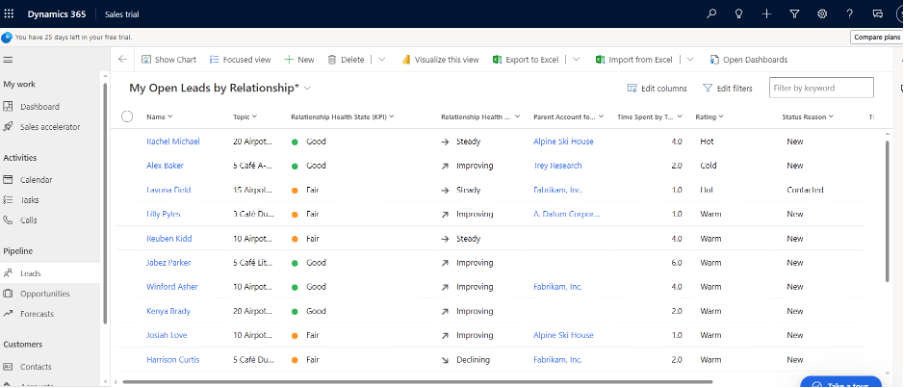
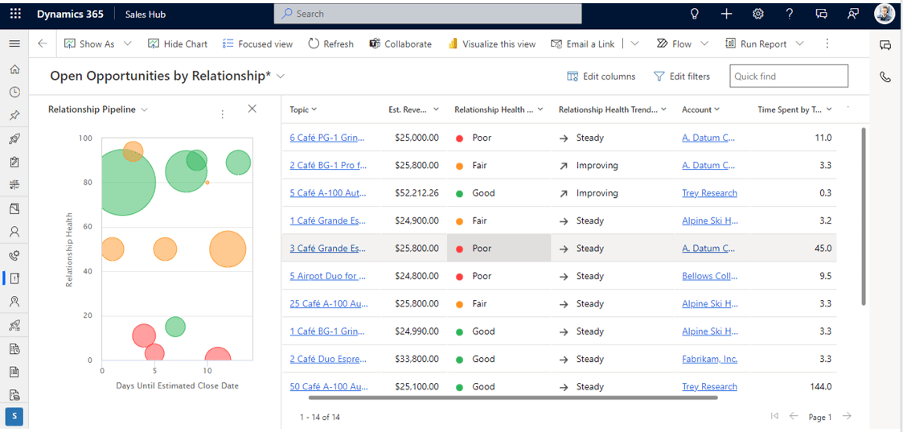
- Defining Relationship KPIs and its scoring:
- Each upcoming opportunity is plotted as a bubble
- The size of each bubble indicates ‘estimated revenue’
- Y-axis: Health is plotted, so the higher up the bubble appears on the chart, the higher its health.
- X-axis: Estimated close date is plotted, so opportunities on the left side of the chart may expire soon.
- Most critical opportunities: largest bubbles located near the lower-left corner
- Most promising opportunities: are near the top of the chart

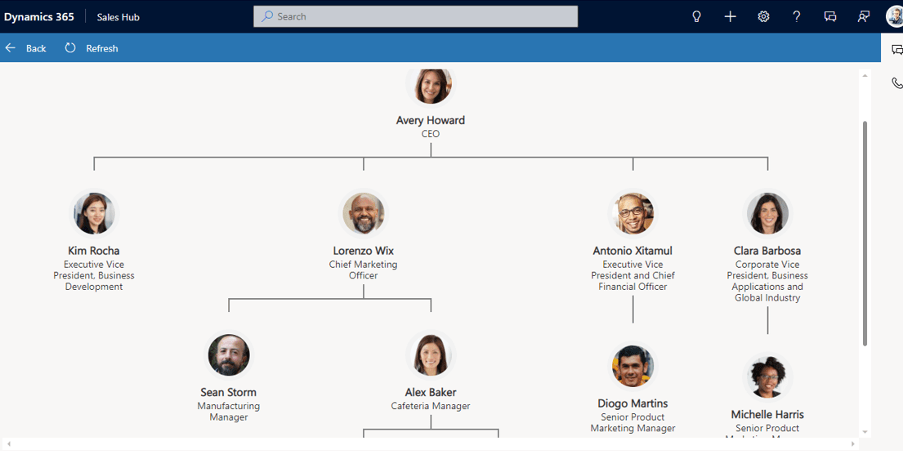
- Live Org Chart Visibility allows salesperson to quickly connect multiple Contacts to an Account and build a personnel hierarchy highlighting the Contact’s designation and who they report to.
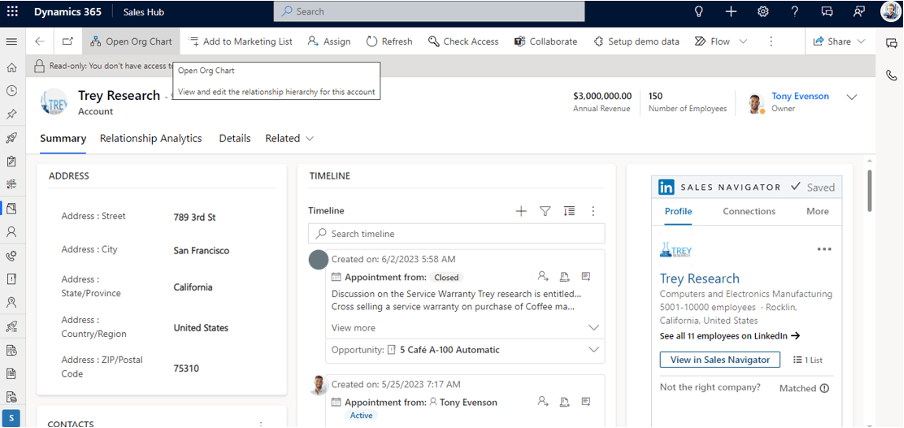
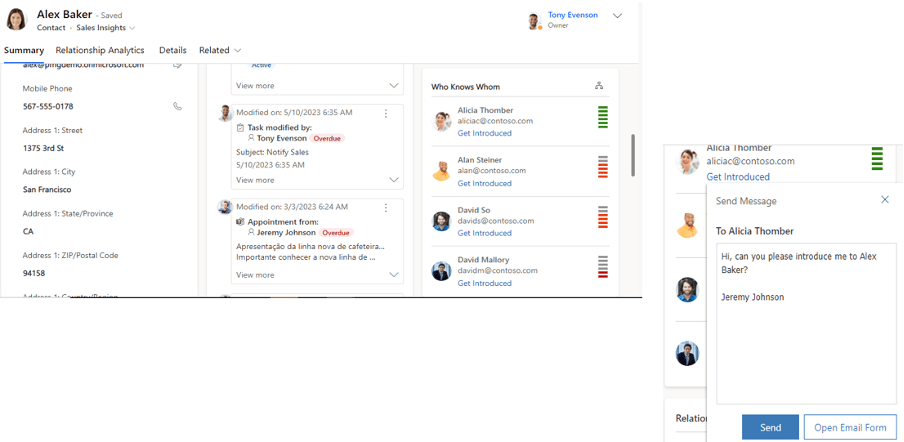
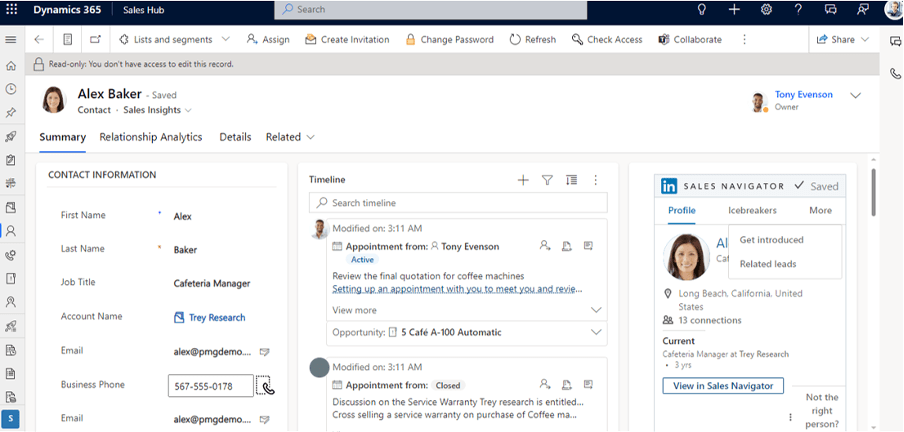
- Who Knows Whom: Digital transformation is real. Across every industry vertical, companies are rethinking their business processes and reorganizing their segments. Use LinkedIn Sales Navigator to enhance key application scenarios by connecting the system of record with the LinkedIn data graph and insights. You can also build custom applications by using LinkedIn Sales Navigator to enhance business processes with data about people, organizations, and relationships.

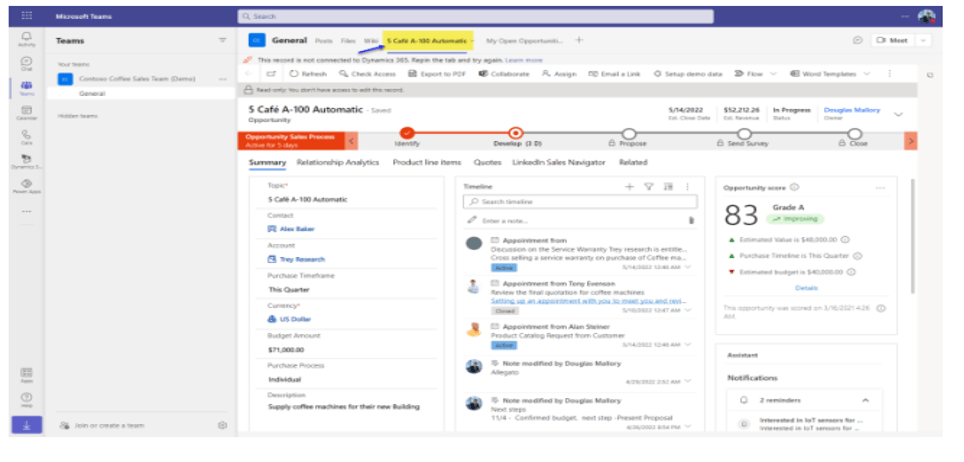
- With MS Teams start new focused chat or link the sales opportunity with an existing chat or request to join an existing group chat on related opportunity.


- Create Teams Channel and enable seamless file sharing between Teams and Dynamics 365.
Thank you, Sayantan for sharing your valuable insights!

 D365 Feeds