
In this blog, we’ll explore how D365 Sales and some of its easy-to-use features can revolutionize your lead generation process and elevate your overall system usage. We’ll delve into key D365 Sales features like Work Lists, Sequences, and Forecasts, uncovering their potential to streamline your sales pipeline, enhance collaboration among your teams, and provide valuable insights for informed decision-making. By the end of this journey, you’ll be equipped with the knowledge to not only boost your sales but also transform your entire sales ecosystem into a well-oiled machine.
- Challenges:
- Eliminate Guesswork & efficiently go through list of engagements.
- Personalize customer interactions to meet specific needs of customers.
- Identify most effective sales techniques.
- Solution:
- Identify most relevant customers/prospects.
- Multiple channel communications.
- AI-driven forecaststo provide Sales Manager with a more accurate overview of team’s performance.
- Products:
- D365 Sales Accelerator
- MS Teams
- Calls
- Features:
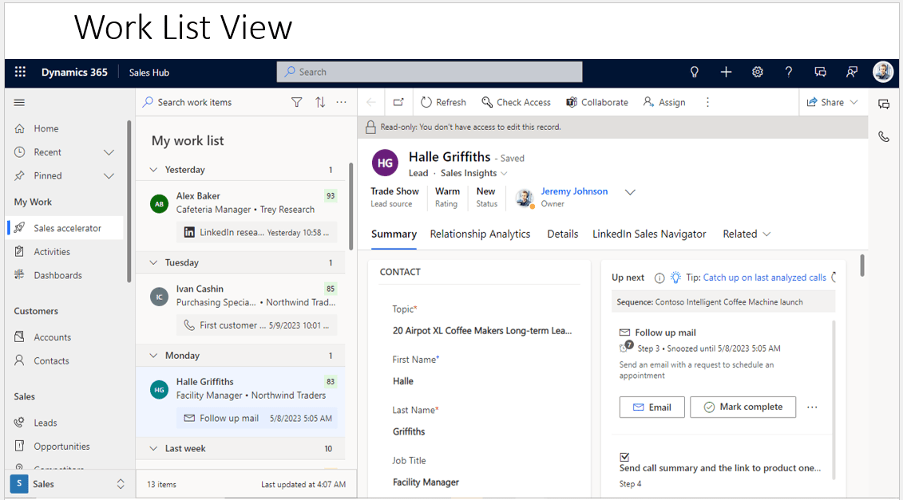
- Work List: During your workday as a seller, you need to juggle multiple tasks as you work on multiple records. As a result, it can be hard to plan and prioritize your customer-facing activities. The work list in the sales accelerator for Dynamics 365 Sales Insights helps you prioritize your time and effort to ensure that important records aren’t left behind. The sales accelerator work list gives you the following capabilities:
- Manage and view records that include activities that are due in the last 30 days to be performed, sorted by priority, and removed after an activity has been completed.
- Manage the work list by sorting, filtering, and grouping records.
- View relevant information about customers, such as personal details, past and future activities, and the related entities for each record.
- Communicate with customers through phone and email. More information: Connect with customers by using a record or the Up next widget
- Add manual activities to records—in addition to those that have been defined in a sequence—if an ad-hoc activity is required.
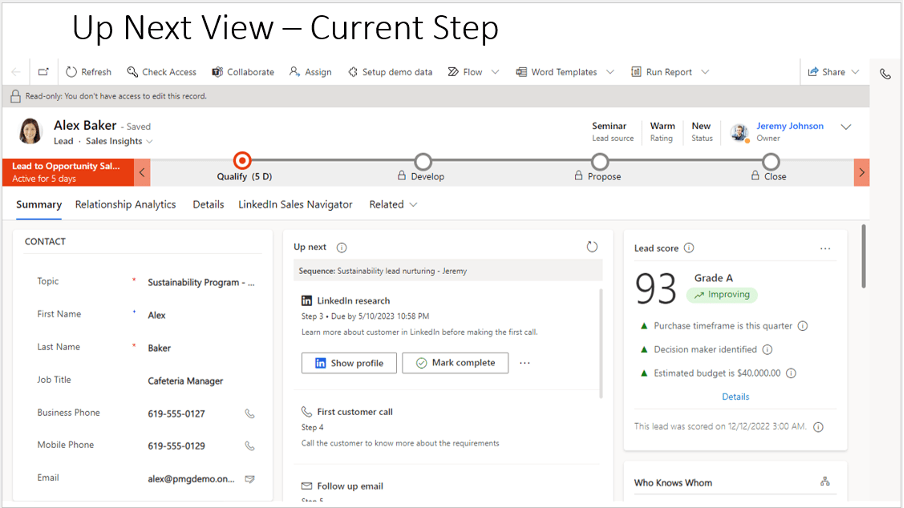
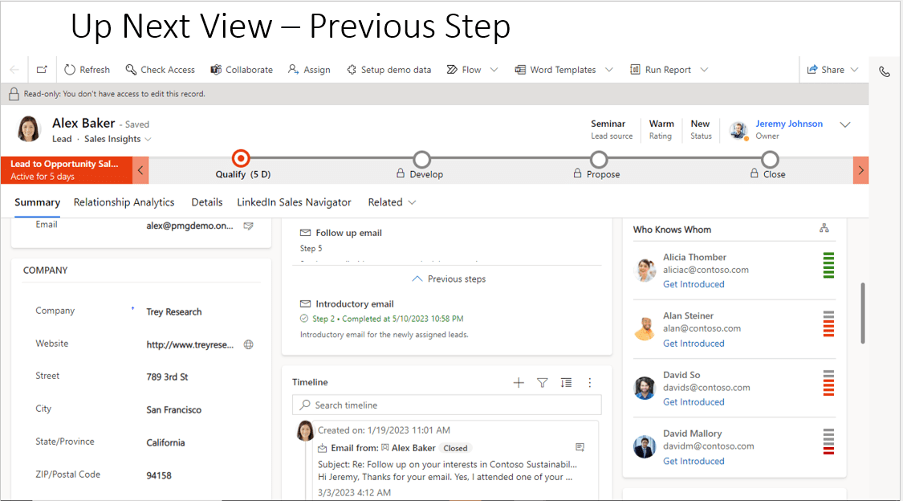
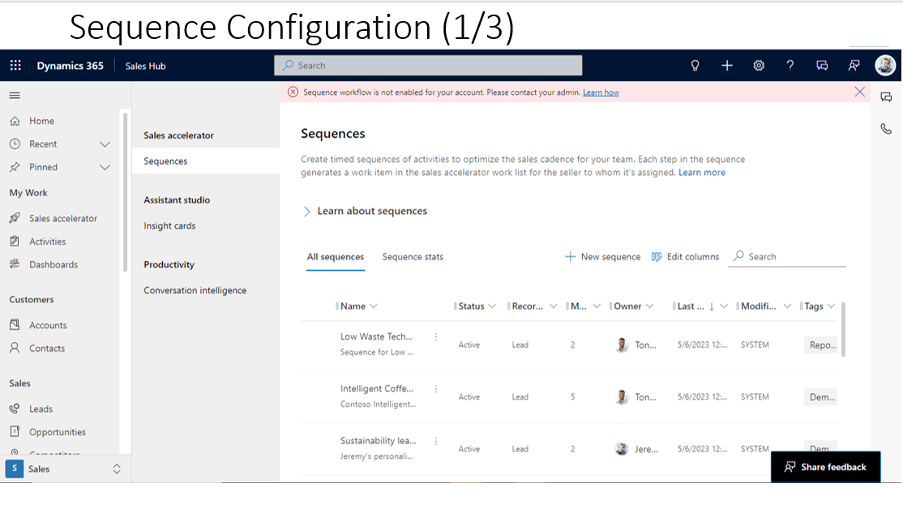
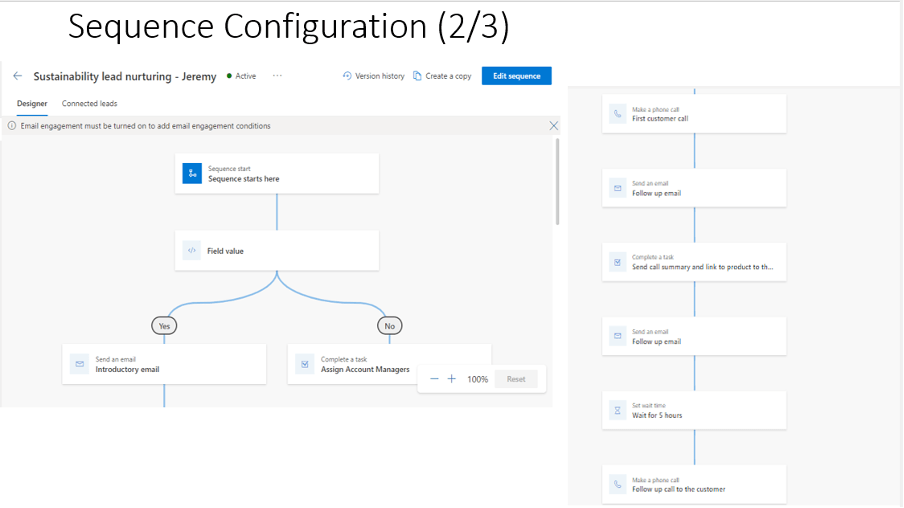
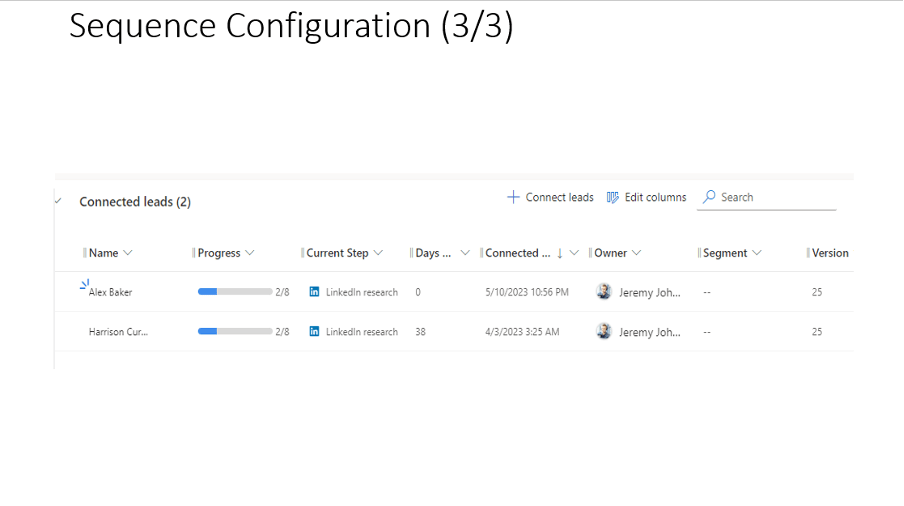
- Sequences: A sequence enforce best practices by introducing a set of consecutive activities for you to follow during your day. You can create and connect sequences to records—such as leads, opportunities, and accounts that appear in your work queue—to help prioritize activities that help you focus on selling, be more productive, and better align to your organization’s business processes.
When you create a sequence, you define a set of activities that you want to perform on records, and the order to perform them in. This lets you concentrate on selling and gives you a better understanding of what to do next.
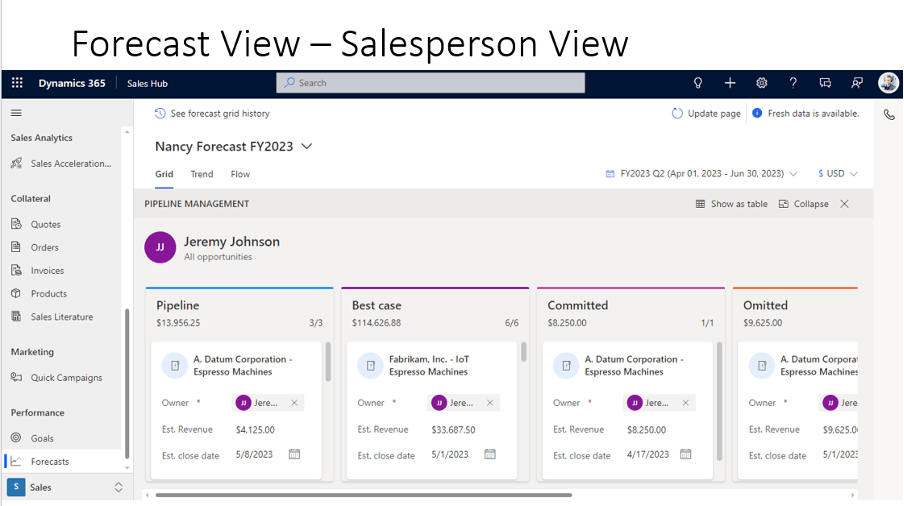
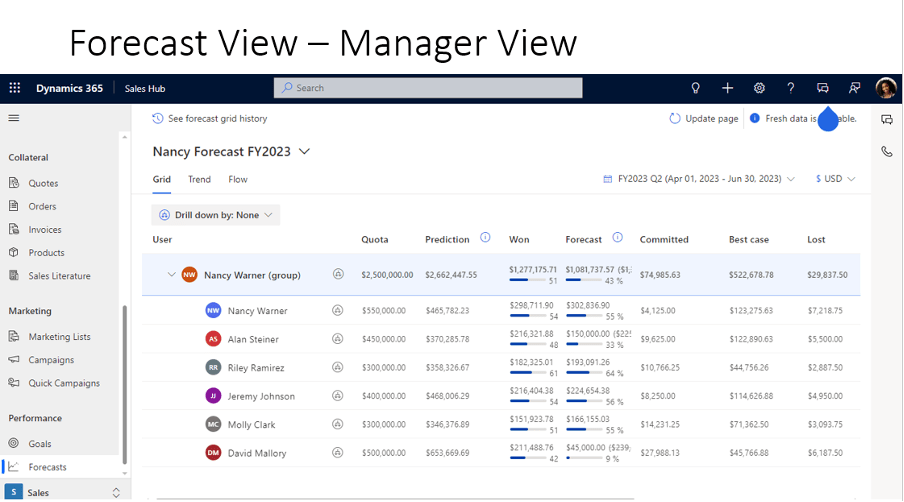
- Forecasts: A forecast helps your organization predict how much revenue your sales team will generate in a given timeframe. When done correctly, it can play a significant role in your company’s success.
By using a forecast:
- Sellers can track their performance against targets and identify pipeline risks that might jeopardize their ability to hit the targets.
- Managers can track individual sales performance against quotas, to proactively provide coaching.
- Directors can use forecast trends to anticipate departmental sales and reallocate resources if necessary.
- Organization leaders can use projected estimates to change product strategy or convey updated projections to investors.
Conclusion:
In the world of modern sales, success hinges on your ability to adapt, collaborate, and make data-driven decisions. Microsoft Dynamics 365 Sales works as a formidable tool to help you achieve these goals. From Work Lists that keep your sales reps focused and organized to Sequences that automate outreach, and Forecasts that provide a clear view of your future sales trajectory, D365 Sales equips you with the resources needed to drive revenue growth.
Thank you, Sayantan for your valuable inputs!

 D365 Feeds