
Problem Definition:
As we all know, that the WBS which is visible in Project Operations is based on Project for the Web and the features such as Critical Path and Advanced Task Dependencies are not the part of the Product.
What is a Critical Path?
The project’s estimated start and conclusion dates are determined by a set of activities, or occasionally just one job, known as the critical path. Task dependencies are the usual means by which the tasks that comprise the critical route are connected. Your project plan is probably filled with several networks of tasks like this one. The project is finished when the final job on the critical path is finished.
What are Advanced Task Dependencies?
There are different types of task dependencies, the default link type is finish-to-start. However, this doesn’t work in all situations. The other types of links are start-to-start, finish-to-finish, start-to-start.
Solution
To enable these features in D365 Project Operations, you need to add a Project Plan 3 or Project Plan 5 license with your Project Operations Full license.
The features will be available in the Task planning as shown below:
Critical Path:
The user can examine their project tasks according to the critical route of the project structure by adding one of these licenses. This will be accessible in the timeline view’s filter section.
However, this option is exclusive to the person who has the extra license; individuals without will not see it.
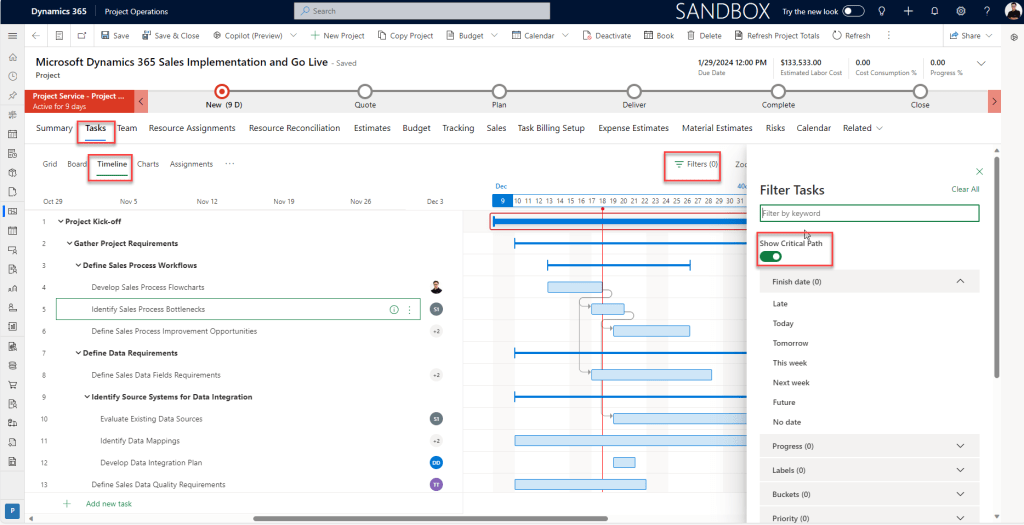
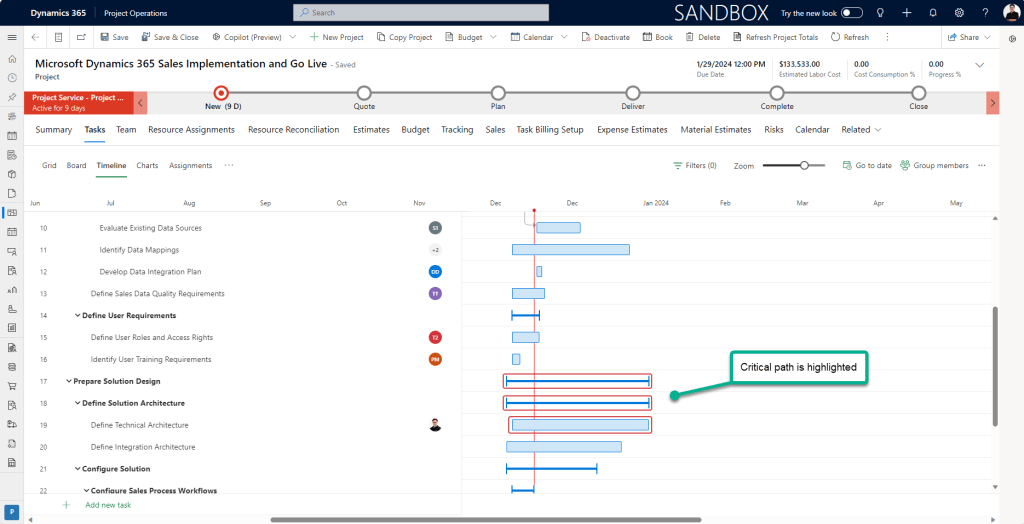
This feature will highlight all the Project tasks connected to the end date of the Project once you enable it. This includes the depending on work as well.
Advanced Task Dependencies:
The user will be able to access advanced task dependencies with the same license package. Project Operations only allows you to add Finish-to-Start dependencies by default. Thus, link a task’s Finish Date to the Start Date of the task that comes after it.
You can add the “Depends on” column or navigate to the specifics of your task in the grid planning of your project plan. After choosing a possible dependent task, the user is now shown with a little pop-out arrow at the bottom. The sort of dependence can be chosen here.
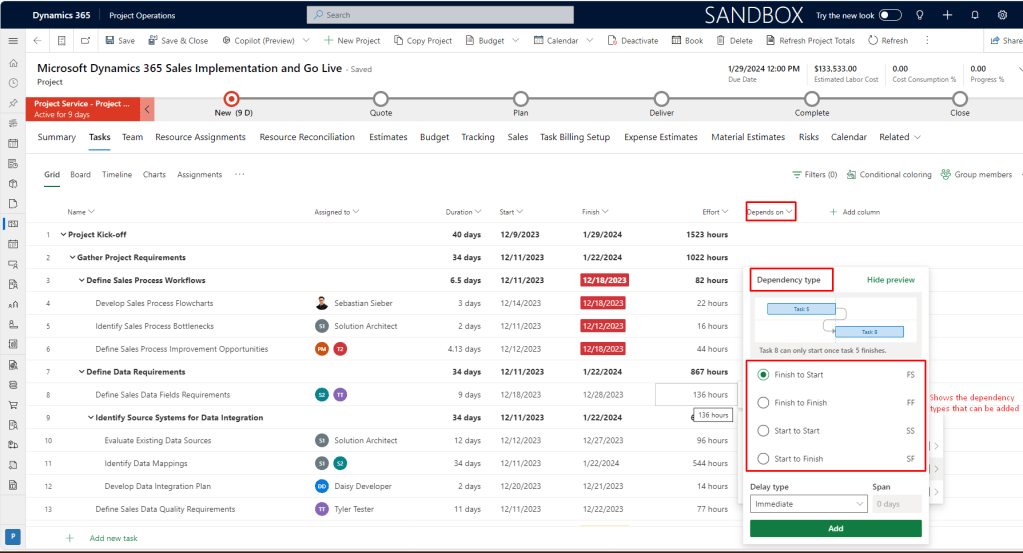
Based on the selected link type the Start/End dates of the tasks are connected.
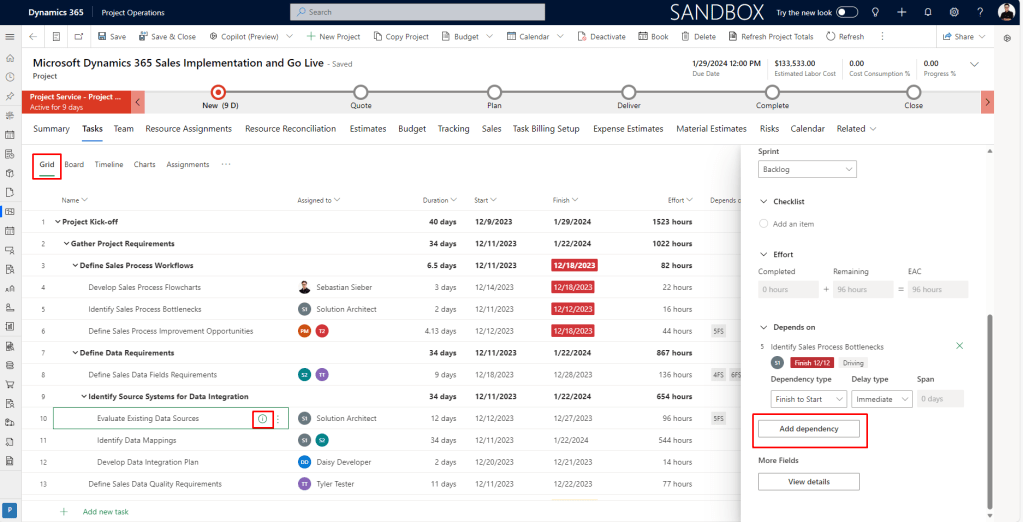
The same menu is available via the Project tasks details. Accessible via the small “i” symbol on the tasks or the three dots menu.
Conclusion:
With the help of the additional license (Project Plan 3 or Project Plan 5) users can now have the missing features such as Critical path and Advanced Task Dependencies, which is very important for most of the organization.
Thank you, Sankalp for your valuable inputs!

 D365 Feeds