
Introduction
In this blog, I’m going to share about Project for the web iFrame which plays an important role in task planning. It allows users to view, create, update, and manage project tasks directly inside Dynamics without leaving the system. However, one major challenge has been the lack of restrictions inside this iFrame — meaning that anyone with access to the project record could freely make changes.
With the upcoming update, Microsoft is bringing access control inside the Project for the web iFrame. This gives project managers and admins the power to decide who can do what.
Public preview: May 16, 2025; General availability: Mar 2026
Problem Statement
Until now, once a user had access to a project record, they could:
- Create new tasks,
- Modify existing tasks,
- Delete tasks, dependencies, or even goals.
This lack of restrictions often led to:
- Unauthorized edits by team members,
- Unintentional changes impacting timelines
For example, if a sales executive (who is not part of the project delivery team) but has access to the record, opens the iFrame, they still had access to create or delete tasks which could cause confusion and project delays.
UPDATE:
The new feature introduces a security system for Project for the web iFrame that allows:
- Project Managers to restrict or allow specific actions for team members.
- Clear boundaries between view-only access vs. full control access.
This means if a user is part of project team member, their access can be limited to read-only mode.
Availability Timeline:
- Public Preview: May 16, 2025
- General Availability: March 2026
HOW TO ENABLE??
- Go to Parameter and Enable the feature for the respective Environment.
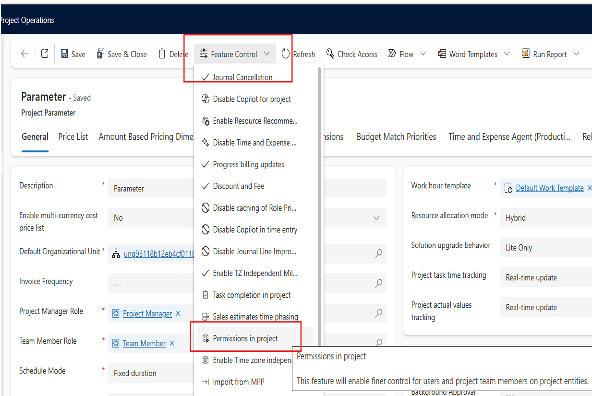
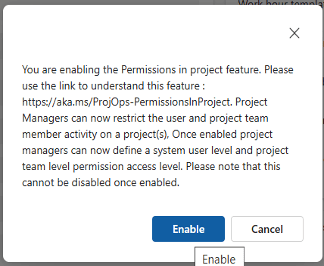
After Enabling, within few minutes, Go to Project team member you will see a Read only column on form.
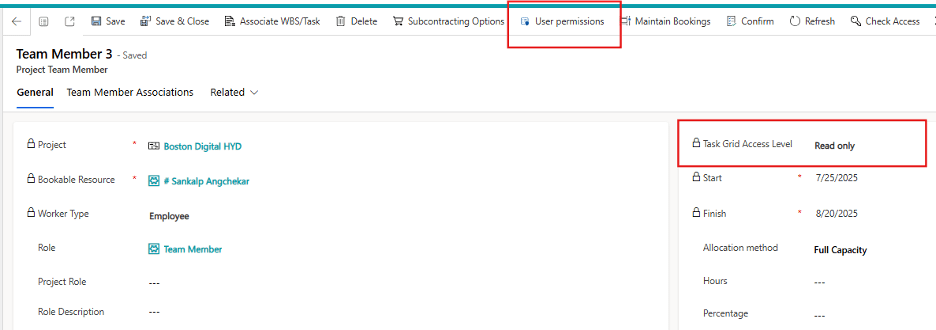
- This will show how much access the respective Team Member is having, One can click on User permission button on Ribbon and set the permission.
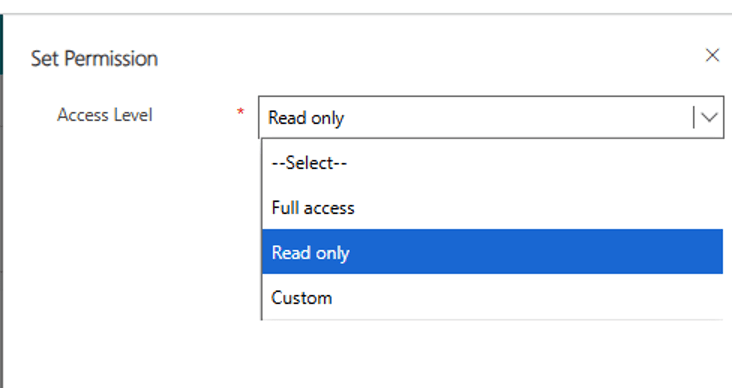
- Team members can be given Custom access in which one can decide how much access we want to give. (Create/update/delete)
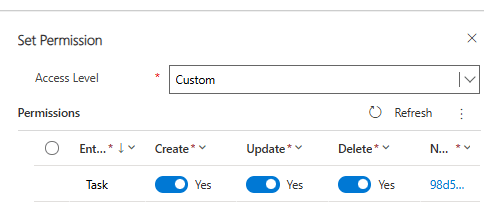
- Else Full access aur Read only access can be given to the Team Members.
EXAMPLE:
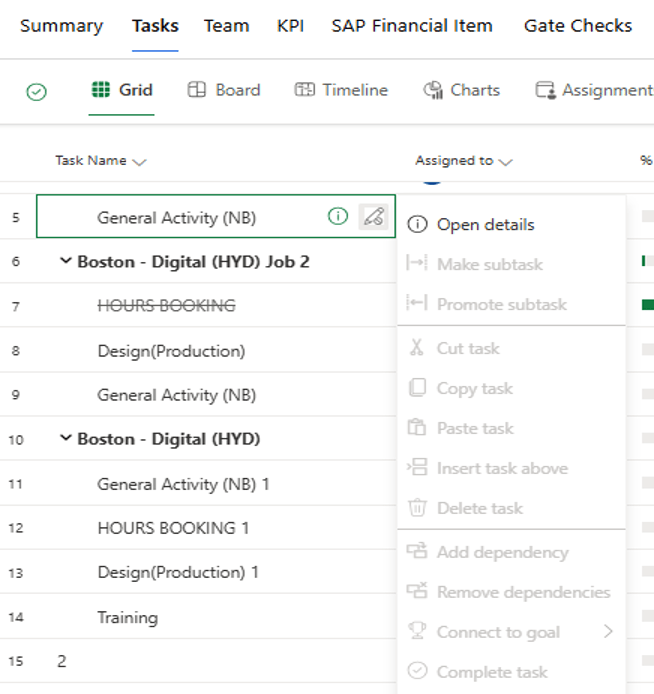
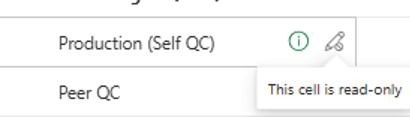
A team member can only read the iFrame. So, for that we will provide read access.

After, providing read access, User will not be able to edit anything on the iFrame. Everything will be read only.
CONCLUSION
The new access restriction system for Project for the web iFrame ensures that only the right people can make the right changes, at the right time. By giving admins and project managers fine-grained control.
With this feature rolling out from May 2025 (preview) and March 2026 (GA), organizations can start planning their access control strategies to take full advantage of it.
Thank you, Kalyani for your valuable inputs!

 D365 Feeds