
Introduction
While working on multiple projects, project managers often notice that multiple tasks are repeated. For example, tasks like requirement analysis, development, testing, and deployment appear in every project.
Earlier, reusing these tasks was not straightforward. Managers had to either create tasks manually or copy the entire project. To solve this, Microsoft has introduced a new feature that allows users to import tasks from other existing projects.
Problem Statement
Earlier, if a project manager wanted to reuse tasks from another project, there were limited options:
- Manual task creation
- Tasks had to be re-entered one by one in the task grid.
- This was time-consuming and prone error.
- Copy Project feature.
- Copied the entire project, including unwanted tasks and extra data.
- Did not allow selective task.
- Did not support combining tasks from multiple projects.
Because of these limitations, project managers spent unnecessary time recreating tasks instead of focusing on delivery and planning accuracy.
The Update – Import Tasks from Other Projects
With this new feature, Project Operations now supports importing tasks from one or more existing projects into a new project.
Instead of copying the entire project, users can:
- Select a specific project,
- Choose only the required tasks, and
- Import them directly into the current project’s task grid.
This provides flexibility, control, and saves a significant amount of effort.
How It Works:
Enabling the Feature
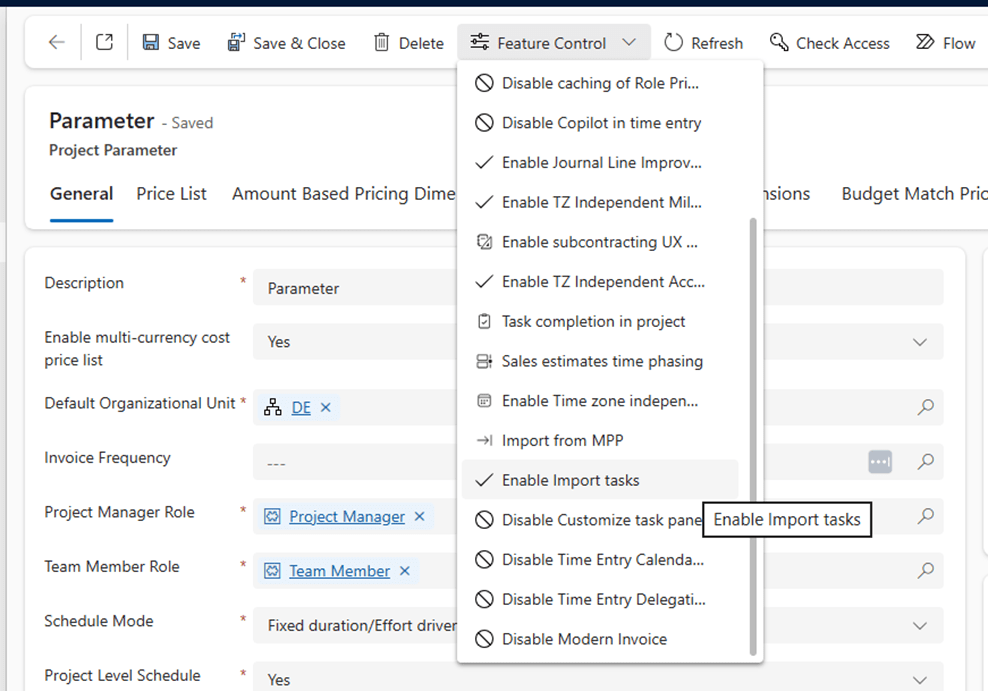
- Go to Settings -> Parameters -> Project Parameters.
- In Feature Control, select “Enable Import Tasks.”
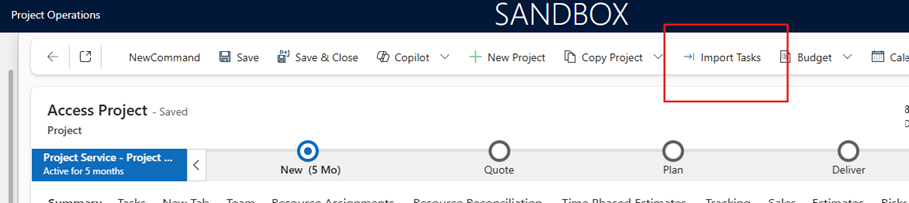
- After enabling, the Import Task button appears on Project form (Ribbon).
- Click on Import Task Button, a page appears.
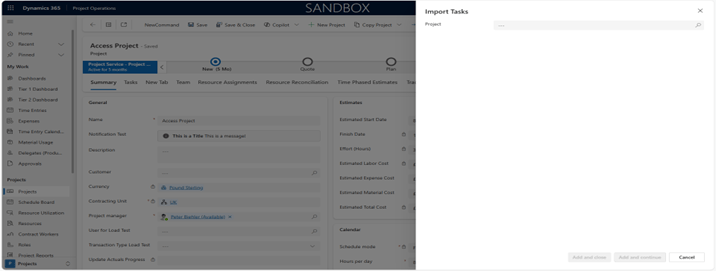
- Choose an existing project as the source. (At a time, single project can be selected). After Project choice, list of Tasks present on projects will be visible below in the same hierarchy.
- Select specific tasks you wish to import.
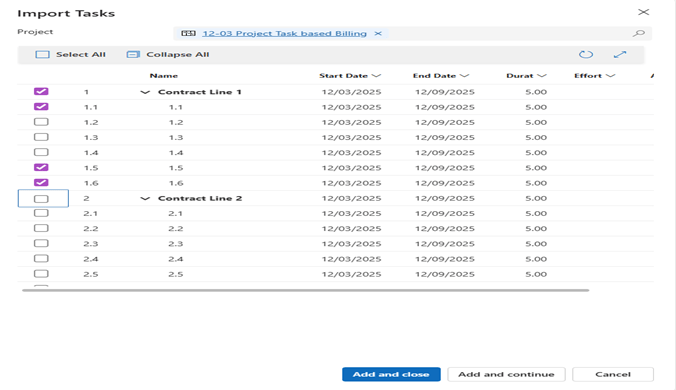
- Click on add and close, Tasks will be added/ Either click on Add and continue and user can select other projects and can continue adding Tasks.
- Till the time import is in process, below message will be visible.

- Repeat the process to import tasks from multiple projects into a single new project.
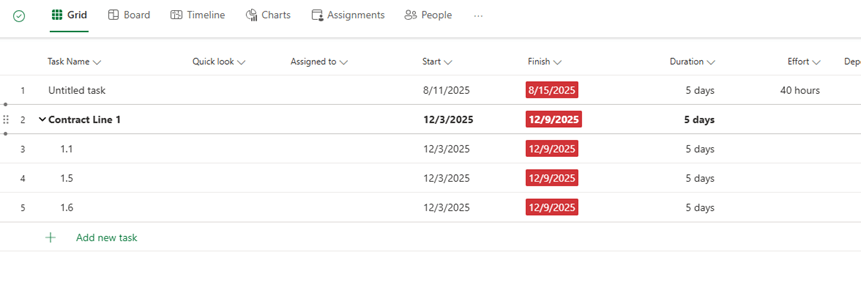
- Once imported, Tasks will start appearing in Task Grid
Example Scenario
Let us consider a real-life example:
A project manager is creating a new project called “CRM Implementation – Phase 2”.
They already have two completed projects:
- CRM Implementation – Phase 1
- CRM Support & Enhancements
Instead of manually recreating tasks, the manager can now:
- Import core implementation tasks (like Requirement Analysis, Configuration, Testing) from Phase 1, and
- Import support-related tasks (like Bug Fixing, User Support, Monitoring) from the Support project.
This results in a new project that combines relevant tasks from multiple projects, without carrying unnecessary data from either source.
Conclusion
The Import Tasks from Other Projects feature is a very practical and much-needed improvement in Dynamics 365 Project Operations.
For teams managing similar projects repeatedly, this feature is a big productivity boost and a step forward toward smarter project management.
Thank you, Kalyani for your valuable inputs to this blog!

 D365 Feeds