
You must have often seen this error while qualifying the lead in PSA. This will only come when the lead is of the Type “Work Based”.

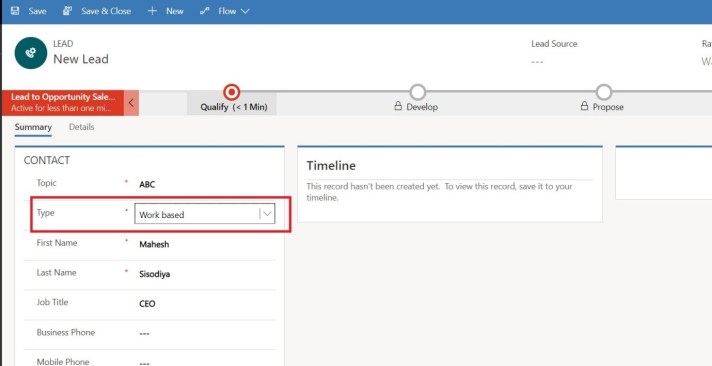
There is an important parameter setting that is missing to be done in order to get to the resolution of this error.
For the same we will go to Project Serviceà Parameters as shown in the screen shot below.
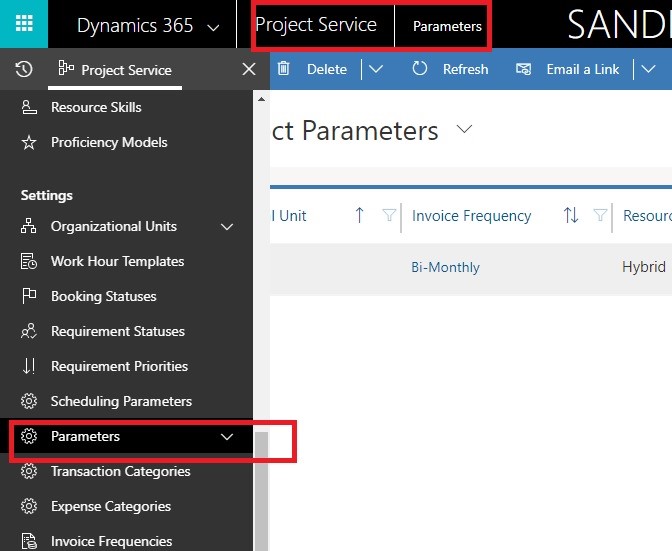
Click on the default organisation unit. In my case CloudFronts Mumbai.

Click on Price List tab and then click on Add New Project Parameter Price List button on the grid as shown below.
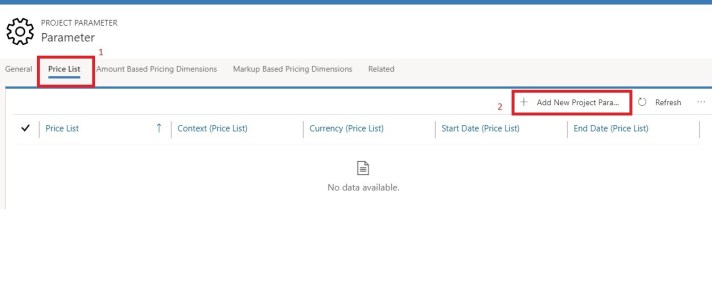
A pop-up opens that asks for the price list. Select the price list and save.

Now, when you create your lead with Type “Work Based”, and you qualify it, the error will not come.

 D365 Feeds