
Introduction:
Copilot introduces a feature into Dynamics 365, enriching the user experience and enhancing the functionality of Dynamics for its users.
Copilot for Email Features:
- Suggests Content: Copilot for Email suggests content while composing or replying to emails.
- Timesaving: It aims to save time and effort by providing AI-generated drafts.
- User can use it as-is or modify it as per their requirements.
Enable Copilot Feature: –
- Go to Microsoft 365 admin center >> Org settings >> add the Sales-CoPilot to your tenant.
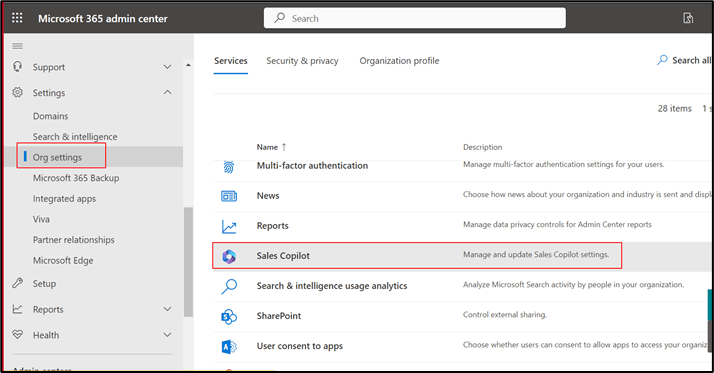
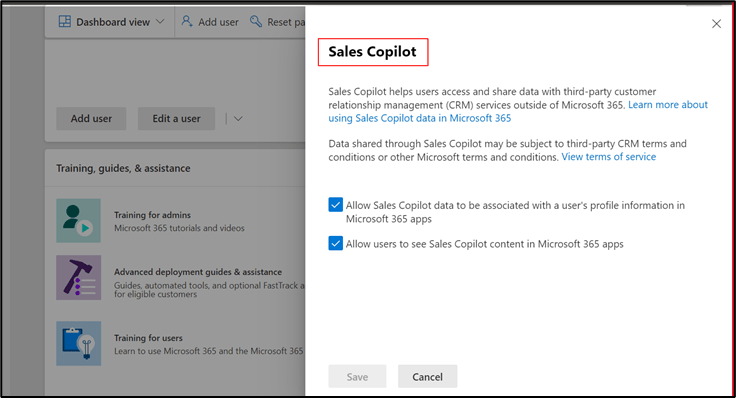
- Once it is enabled it took couple of minutes to install into your tenant.
How to Enable Copilot for Environment
- Navigate to Sales Hub App
- Navigate to App Setting
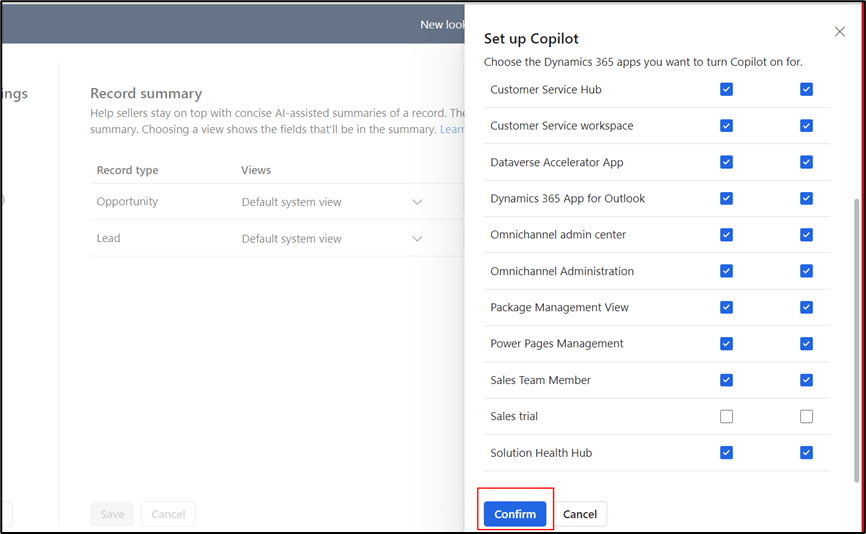
- Sales-Copilot >> Click on Managed App >> Choose the application for which the user wants to add the Copilot feature.
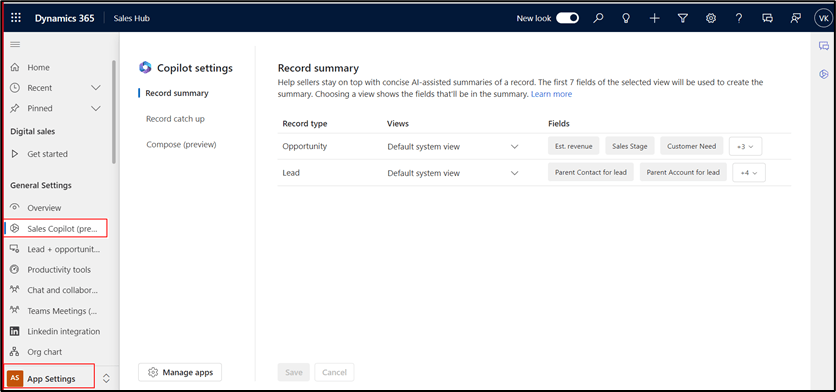

- Mark checked for compose and chat function.

- Click on Confirm button.
How to Use Copilot in Email Messages
- Create a New Email Message for Lead or Opportunity
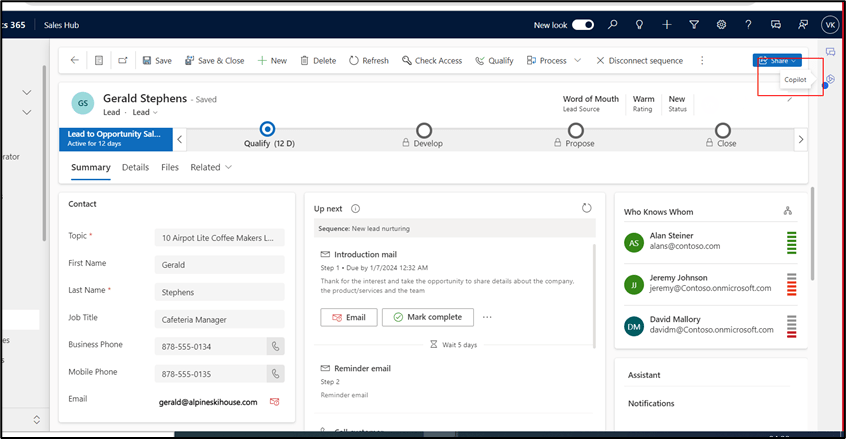
- Open any of the Lead and opportunity record
- On right-hand Side user can find Copilot icon.
- Click on copilot icon to open the copilot window and write an email.
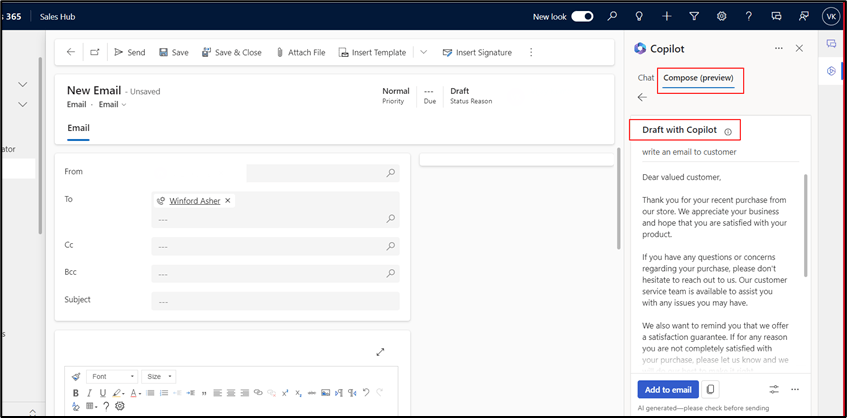
- Ask copilot to generate an email and click on Add Email to drag into email.

Thank you, Amisha for your valuable inputs!

 D365 Feeds