
Problem Definition: When we use the Dataverse actions for various requirements such as Add a new row or updating any value, etc., there are many cases where the above operations are successful despite of failure of the end operation. This leads to the creation of misleading/unwanted data which may consume unnecessary space. To overcome the issue Microsoft Dataverse has come up with an option to use one single action named Change Set Request comprising of few common Dataverse actions.
Solution:
Steps to be followed:
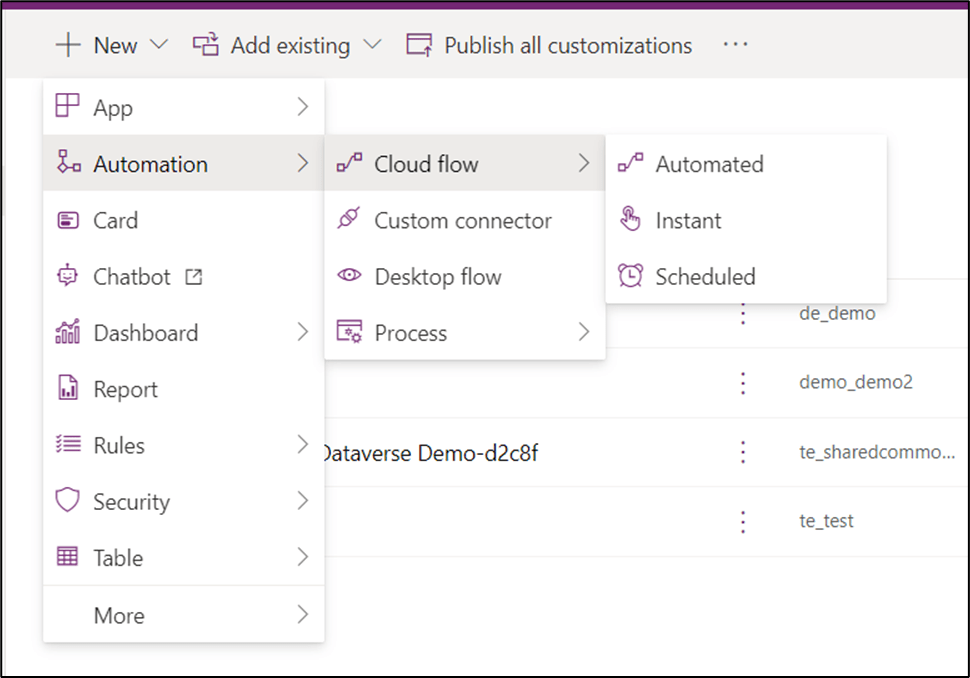
- Go to PowerApps à New à Automation à Cloud Flow à Choose the option which is appropriate according to your requirement.
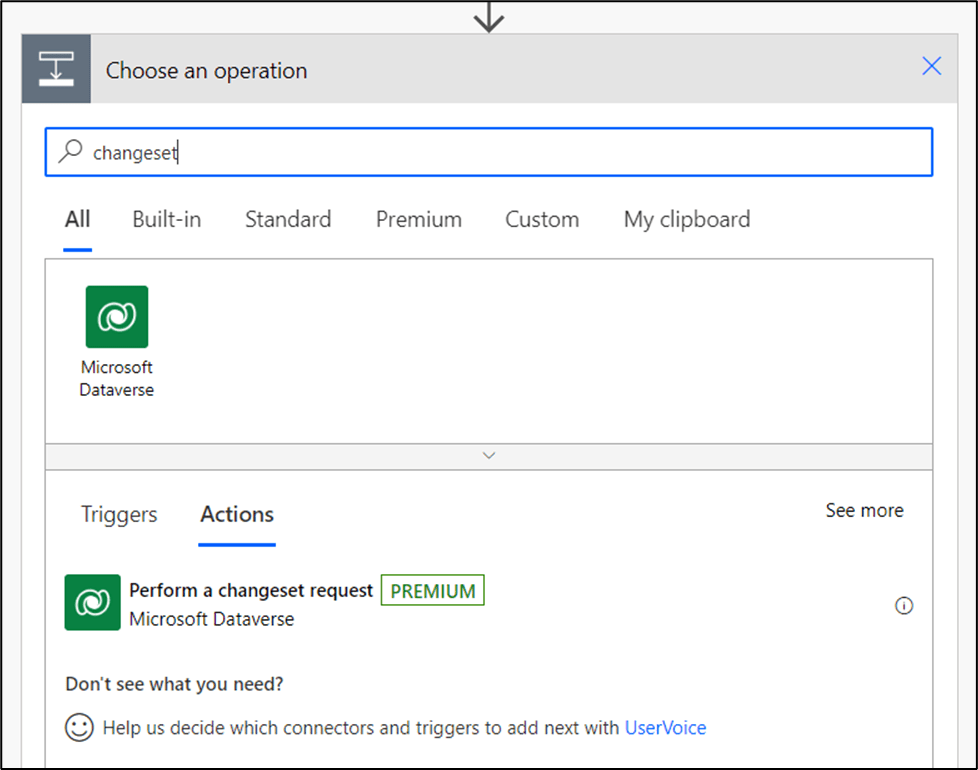
- Select the required trigger à Search for changeset in the search bar à You will get the appropriate action in the below list.
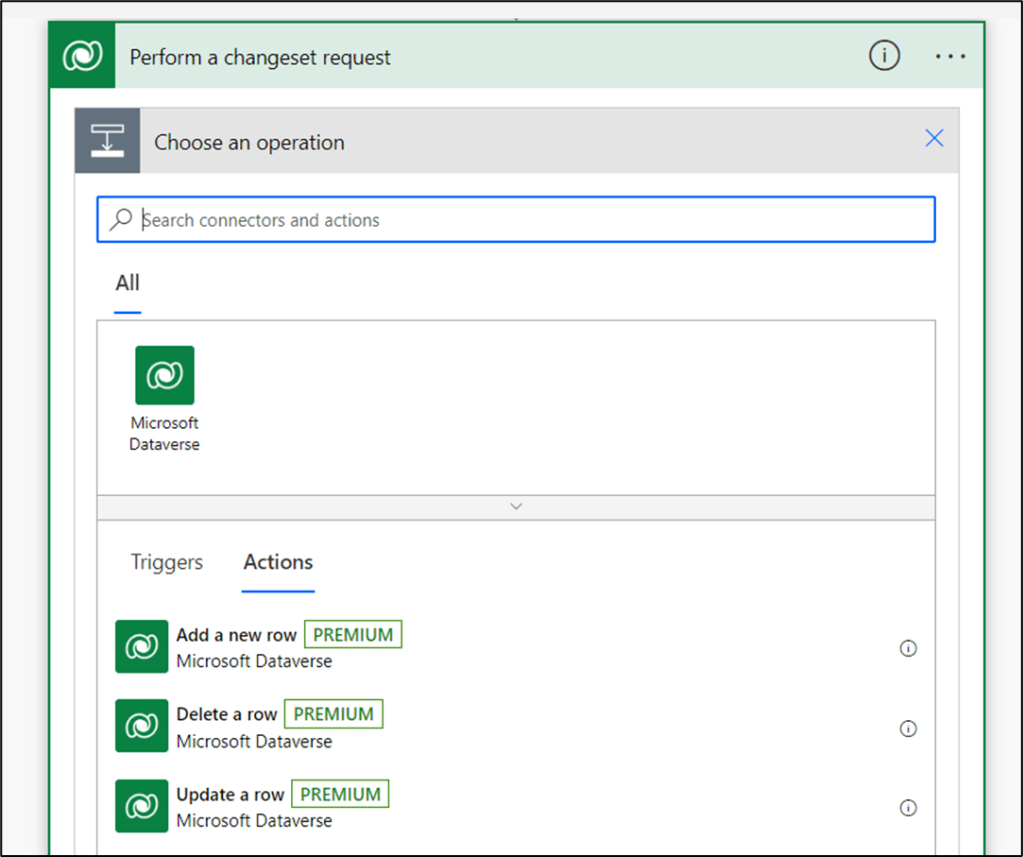
- Choose Perform a changeset request from the Actions list à Add an Action à Choose any action from the 3 as per the requirement.
- All the used actions defined in the changeset can be rollbacked even if 1 of them fails to complete due to any reason.
- This means that this action can avoid the creation of unwanted data.
- This action will help users to even roll back the actions that are interdependent but are completed and left disconnected due to failure of further actions.
- You cannot use any field values from the actions placed above in the changeset as they will not be connected with arrows as other actions are generally in PowerApps.

Conclusion: By using this action one can avoid the creation of unwanted data which may not be connected to any flow due to failure of end actions. In such cases, to avoid such scenarios one can use this action to rollback all the tasks included in the changeset if one also fails in any condition.
Note: You cannot add other actions in the changeset, for now, only 3 are included.
Thank you, Angarika Mane for your valuable inputs!

 D365 Feeds