
Problem Definition: We sometimes have a few team members who only need to do the time entries and expense entries. They do not need any exposure to other entities. How do we make it possible via the OOB (Out of the box) security roles in PSA V3.X. Solution: From the security-->Users--> select the user-->Manage Role … Continue reading PSA Quick Tip: How to give Team Members access to only do time entries and expense entries and not expose other entities in PSA v3.X

First canvas Power app: Learn few easy and important commands
As my thoughts build to initiate writing this blog, similar was the feeling when I first thought about exploring Power Apps. The expression was, “What exactly is Power Apps?”. When the world is talking about it, it brings me more curiosity to understand what is so powerful about it. Let’s first commence with understanding what … Continue reading First canvas Power app: Learn few easy and important commands
Resolution to bulk import Time Entry issue of importing Cancelled Time Entries in PSA V3.X
Problem Definition: Post upgrading to V3 I faced issues while importing the time entries from my Resource bookings. This was not the case with V2. In V2 when I went to Import Time Entries from Resource Bookings, it used to pick up all the time entries that were in Active State. Resolution: The resolution to … Continue reading Resolution to bulk import Time Entry issue of importing Cancelled Time Entries in PSA V3.X
Time Entry Adjustment in Journal with PSA V3.7
Problem definition: With the previous releases, PSA could allow adjustment of Time Entry hours via mere plain Journal entries. That means, if we need to adjust a couple of hours or adjust a time entry worth 4 hours, we needed to make a 4 hours journal entry, which could not be tracked against a Time … Continue reading Time Entry Adjustment in Journal with PSA V3.7
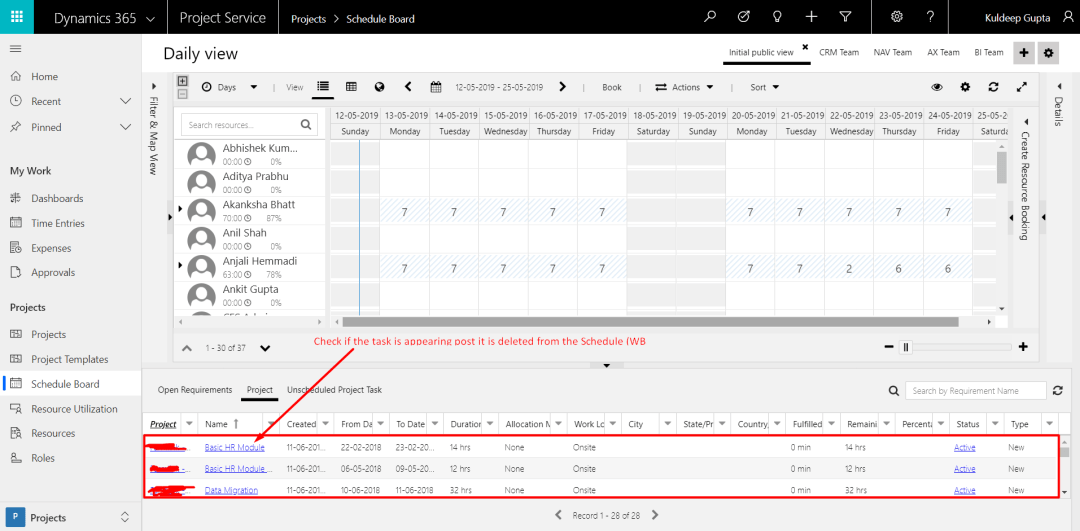
What if the Resource Requirement Still appears post the task is deleted from Schedule (WBS) in PSA V3?
Problem Definition: I have observed a fact in PSA that when the task in PSA Schedule (WBS) is deleted, the corresponding Resource Requirement doesn’t get deleted. Hence, it keeps on appearing in the Schedule Board to allocate. Resource Managers face difficulties in order to understand whether to allocate them or not. Hence, it is a … Continue reading What if the Resource Requirement Still appears post the task is deleted from Schedule (WBS) in PSA V3?
Non-Billable classification of task work around in PSA V3
Problem Definition: As soon I upgraded my PSA version from V2 to V3, I saw that the role field got deprecated. Not only that, it was removed from Schedule (WBS in V2). We now had the functionality to directly assign resource to the task against having assign role. The projects that got migrated from V2 … Continue reading Non-Billable classification of task work around in PSA V3
Getting the price right post the time entries are approved in PSA
PSA demands a perfect configuration and that is the proof of being a sophisticated application. You won’t see any result unless the configurations are all set right. Use Case: I am observing from quite sometime that my Accounting Team complaints that when the Actuals are created on the project they are with 0 value. This … Continue reading Getting the price right post the time entries are approved in PSA
PSA Quick Tip: Use Project instead of Project Template while creating a project in PSA V3
Problem definition Often clients using PSA V2 used to complain of the feature missing was copying the project as the template. A few of the Construction Company clients of mine have huge projects and have almost similar structure for many of their projects. Undoubtedly templates use to serve the purpose, but, only to a certain … Continue reading PSA Quick Tip: Use Project instead of Project Template while creating a project in PSA V3
Outlook appointment/Meetings to be allocated on Schedule board in PSA using MS Flow
Business Use Case: Often there are team members who share the need of getting allocated on schedule board in PSA directly as soon as they book an appointment or have a meeting invite. One of the reasons for the same is for the team or anyone concerned about allocation to understand that the said team … Continue reading Outlook appointment/Meetings to be allocated on Schedule board in PSA using MS Flow
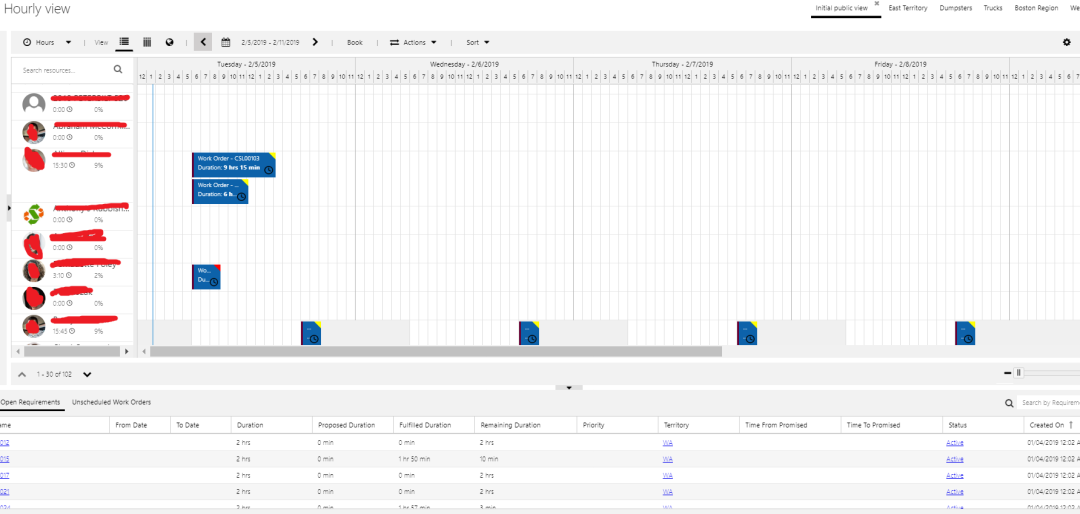
Auto Generate Work Order Option in Field Service
I was preparing for the Pre-Sales demo for a client and came across a situation where the Work Order was not generating automatically, till I realised a couple of settings and the process of how to do it. The following is what happened and how I could actually see my work order getting generated … Continue reading Auto Generate Work Order Option in Field Service
 D365 Feeds