
Problem Definition
Sales teams often manage many opportunities at different stages of the sales cycle. Determining which opportunities need immediate attention and which are strategically important can be difficult when relying on manual reviews alone.
Opportunities with limited engagement, missing stakeholder information, stalled progress, or external business challenges may go unnoticed until they impact deal outcomes. While the Sales Opportunity Agent provides automated opportunity insights, every organization follows different sales processes and priorities. As a result, default assessment criteria may not always align with business requirements.
Organizations need a way to customize opportunity evaluation so that risk and importance assessments accurately reflect their sales strategy and operational goals.
Solution
The Sales Opportunity Agent in Dynamics 365 Sales allows administrators to configure how opportunities are assessed for both risk and importance.
By adjusting predefined criteria and thresholds, organizations can align opportunity scoring with their sales cycle and business priorities. The agent evaluates configured criteria, assigns ratings, and generates overall scores that help sellers prioritize their pipeline more effectively.
Key Capabilities
- Configure organization-specific risk criteria.
- Customize importance assessments.
- Enable or disable individual criteria.
- Automatically identify at-risk opportunities.
- Highlight strategically important deals.
- Leverage customer, stakeholder, and engagement data.
- Create custom importance criteria.
- Improve seller productivity and opportunity prioritization.
Implementation
To understand the feature, we explored the opportunity assessment settings available within the Sales Opportunity Agent.
The goal was to review how risk and importance indicators are generated and how organizations can customize the assessment process.
Step 1: Open the Sales Opportunity Agent Settings
Navigate to the Sales Opportunity Agent configuration page in Dynamics 365 Sales.
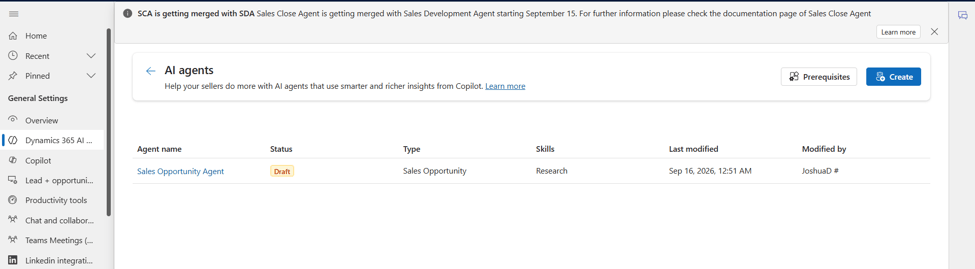
Figure 1: Opening the Sales Opportunity Agent settings page.
Step 2: Access Advanced Settings
Open the Advanced section, which contains the configuration options for risk and importance assessments.
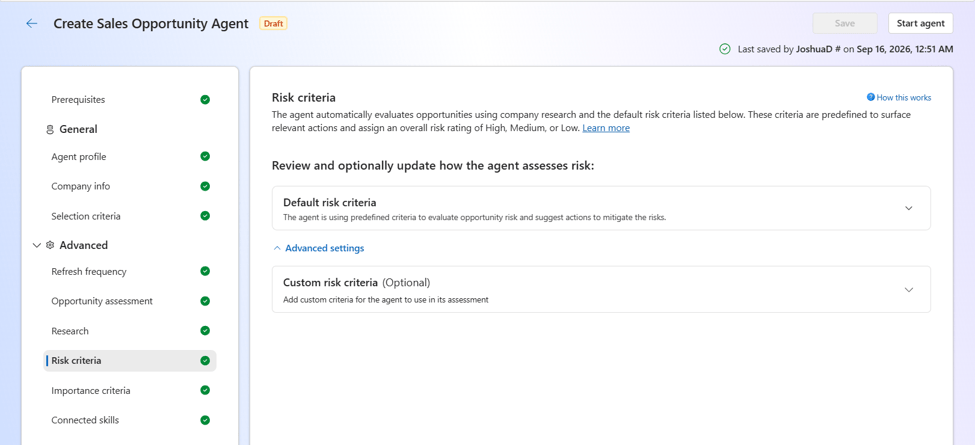
Figure 2: Accessing Advanced Settings.
Step 3: Configure Risk Criteria
Select Risk Criteria to review and customize the factors used to identify potentially at-risk opportunities.
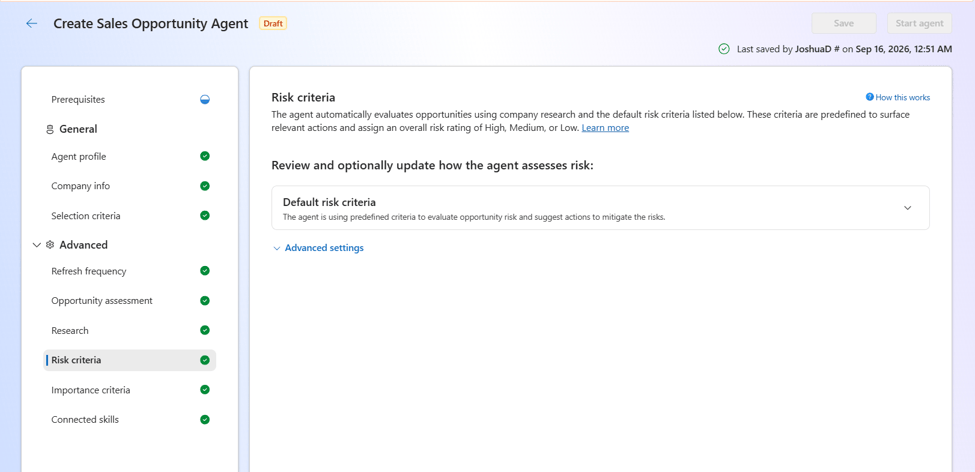
Figure 3: Configuring risk assessment criteria.
Step 4: Review Risk Indicators
- The Sales Opportunity Agent includes several predefined risk indicators:
- No Recent Engagement: No customer interaction within a defined timeframe.
- Unresponsive Champion: Key contact is not responding.
- Not Multithreaded: Limited stakeholder engagement.
- Missing Stakeholder Roles: Required decision-makers are missing.
- Close Date Deviation: Opportunity is behind schedule.
- Stalled in Stage: Opportunity remains in a stage too long.
- Objections Raised: Objection-related language detected.
- Missing BANT Information: Qualification information is incomplete.
- Aging Opportunity: Open longer than historical winning deals.
- Competitor Mention: Competitor references detected.
- Negative News: External factors may impact the deal.
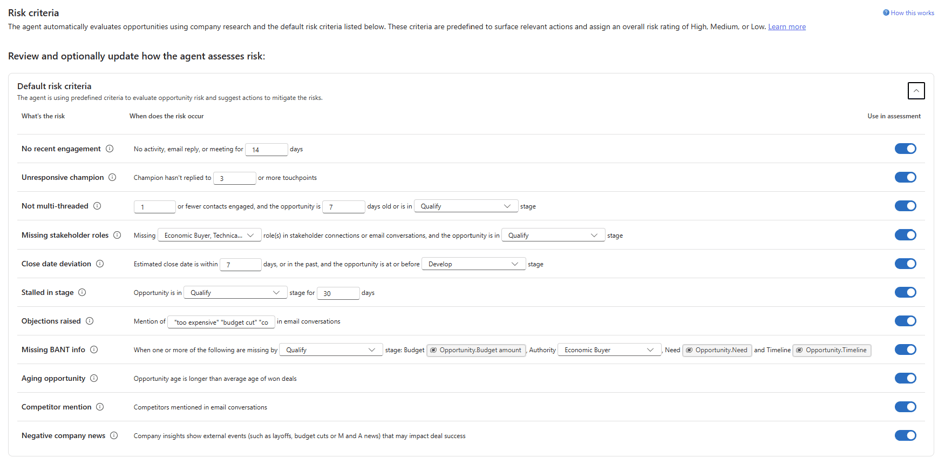
Figure 4: Available risk indicators.
Step 5: Enable or Disable Criteria
Each risk criterion includes a Use in Assessment toggle. Administrators can disable criteria that are not relevant to their sales process.
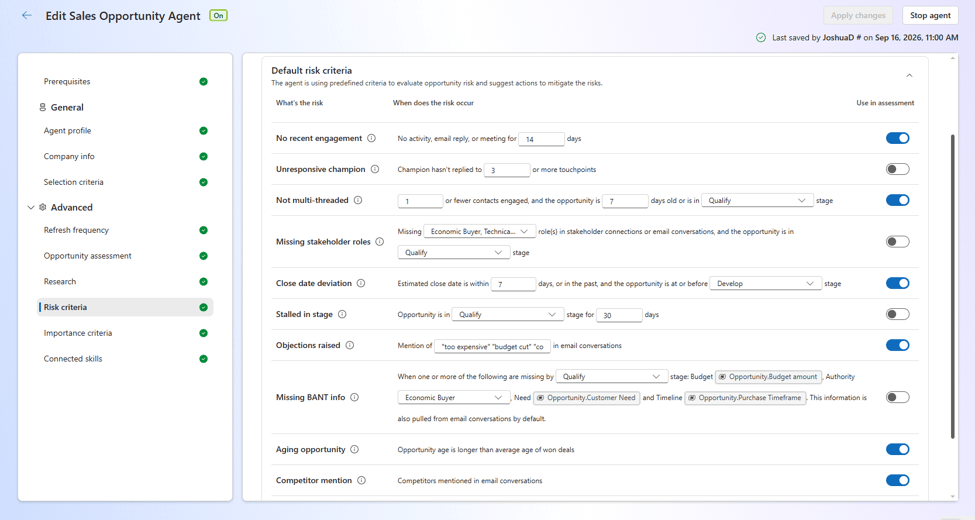
Figure 5: Managing risk assessment criteria.
Step 6: Configure Importance Criteria
Select Importance Criteria to review the factors used to identify high-priority opportunities.
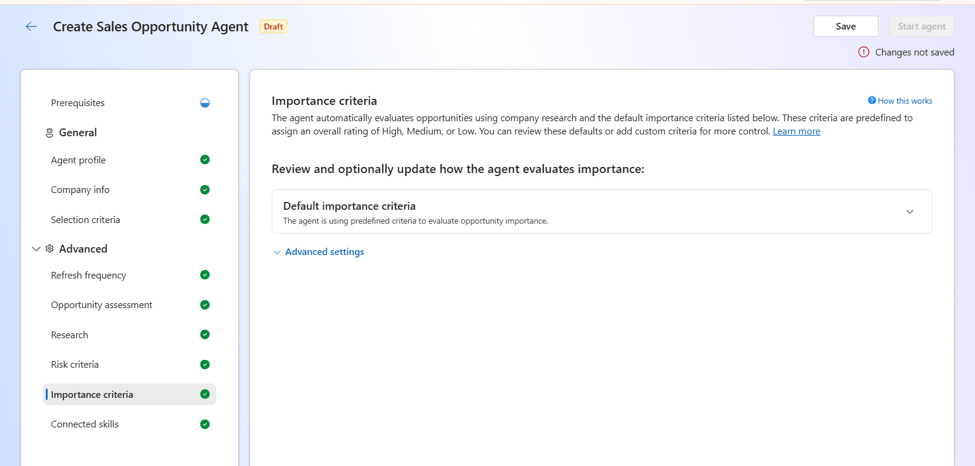
Figure 6: Reviewing importance criteria.
Step 7: Review Importance Indicators
These indicators help surface opportunities with higher business value or strategic significance.
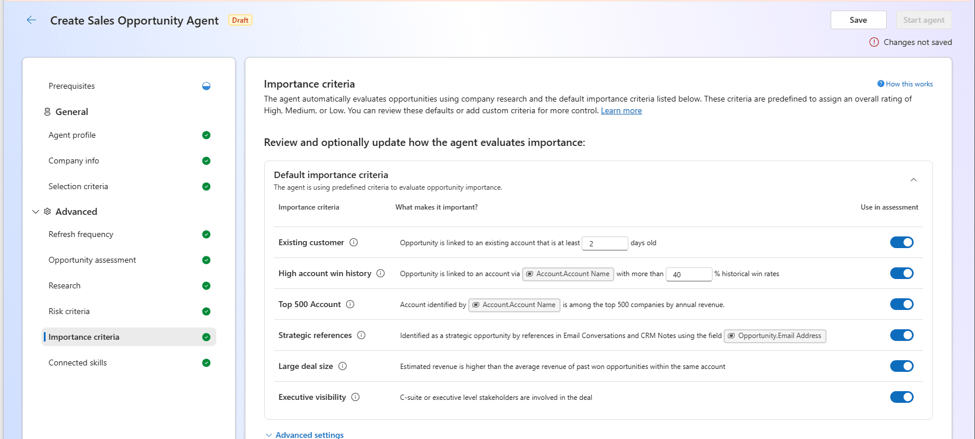
Figure 7: Default importance criteria.
Step 8: Review Opportunity Assessment Scores
Once configured, the Sales Opportunity Agent evaluates opportunities and generates:
Risk Score: Based on enabled risk criteria.
Importance Score: Based on enabled importance criteria.
These scores help sellers identify which opportunities require attention and which deserve greater focus.
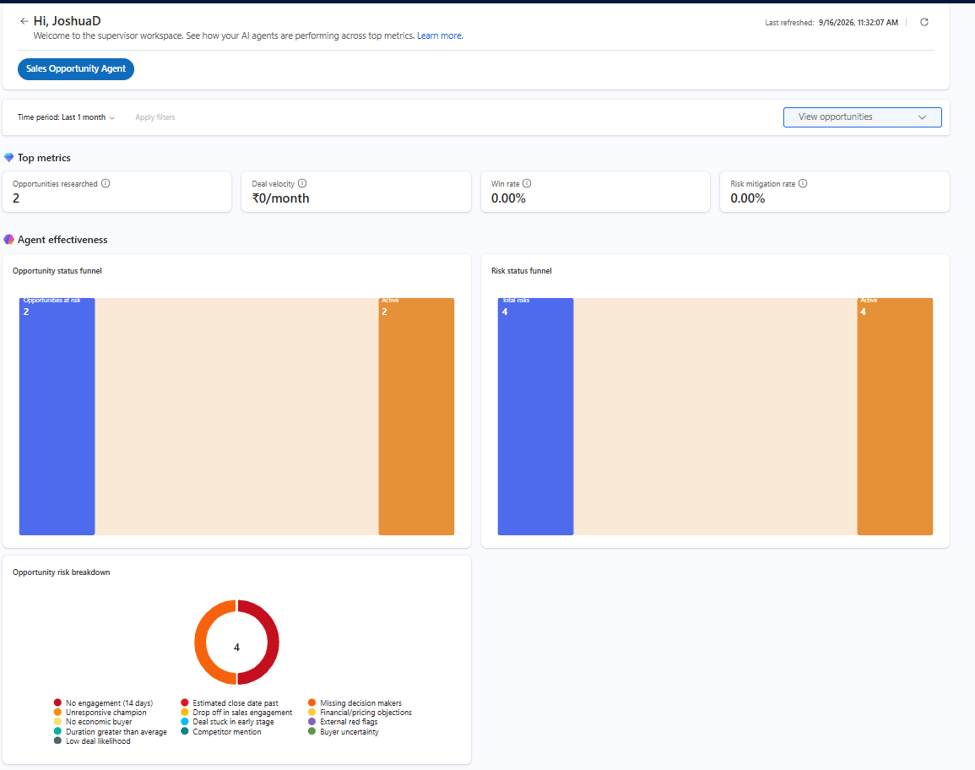
Figure 8: Opportunity assessment scores generated by the Sales Opportunity Agent.
Conclusion
The opportunity assessment capabilities in the Sales Opportunity Agent help sales teams prioritize opportunities more effectively by combining configurable risk and importance analysis.
What stood out most during this implementation was the flexibility to tailor assessments to specific business requirements rather than relying solely on predefined rules. Organizations can adjust risk indicators, configure importance factors, and create custom criteria that align with their sales strategy.
By providing visibility into both opportunity health and business value, the Sales Opportunity Agent helps sellers focus on the right deals at the right time. As organizations continue adopting AI-assisted sales processes, these configurable assessments can improve pipeline management, increase productivity, and support more informed decision-making throughout the sales cycle.
Release Information: This feature is planned for General Availability in August 2026. No public preview release has been announced.
Thanks, Joshua D’Costa for your valuable insights to this blog.


